Gobierno de España. Ministerio para la Transición Ecológica y el Reto Demográfico.
4.5.2. Search Results
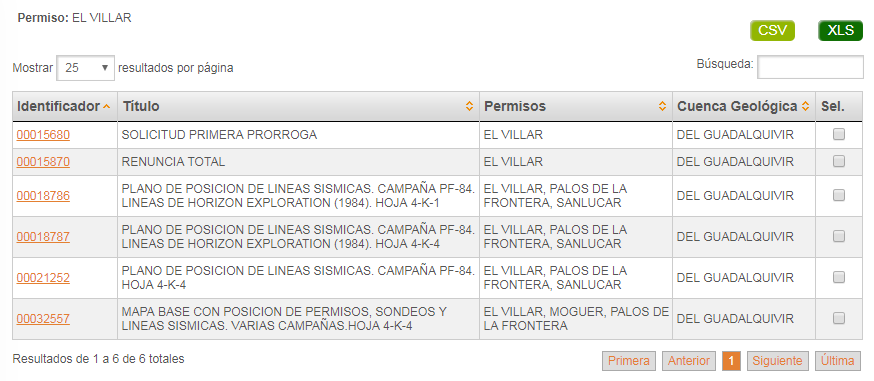
Once search is executed, if it's not empty , it will be show in a table. This table has one row for each Graph and Plan and it will show identifier, title, associated licence, geological basin and a box so you can choose it, it the user wants to make a request with this document within.
At the top part of the table you can select the number of results to show per page, two buttons to export the data, one to download the data in CSV format and another for XLS, and a field to filter the search performed by any column. While at the bottom of the table there is a paging control that allows you to move quickly through the result set, and you can see the number of search results.
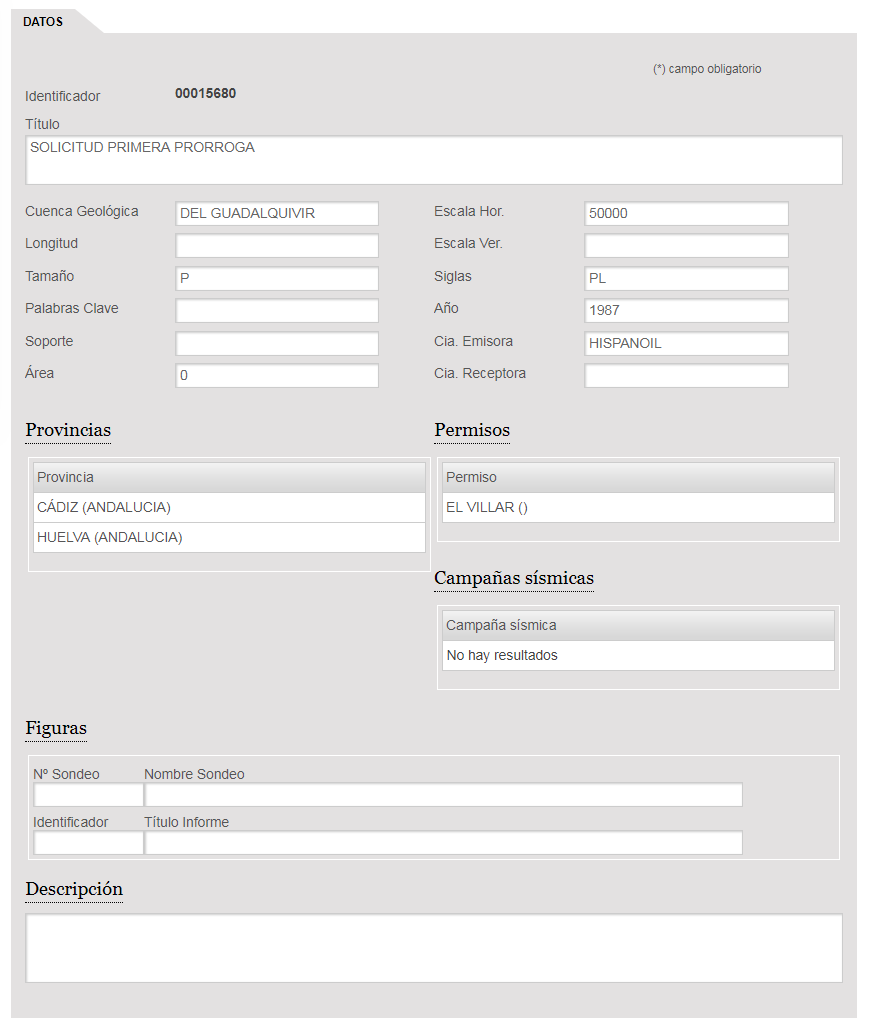
By clicking on the link in the "Identifier" column, the information about the graph/plan selected is expanded on a new screen. In the detailed information we can see general information about this document.