Gobierno de España. Ministerio para la Transición Ecológica y el Reto Demográfico.
9.3. Unsubscription
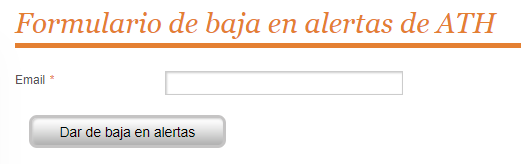
When clicking on the menu option Unsubscription within alerts, the form to unsubscribe from alerts will be displayed.
To be able to unsubscribe from an alert, you must enter an email address linked to an active alert and press the "Unsubscribe from alerts" button. If an email is entered that is not linked to an active alert, the following error will appear.
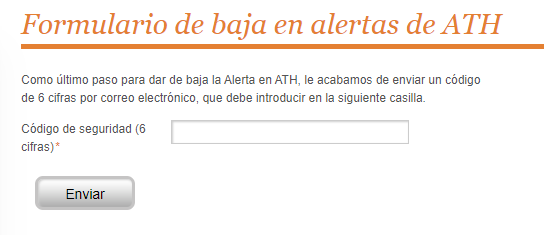
If the email entered belongs to an active alert, a security code must be entered in the following form:
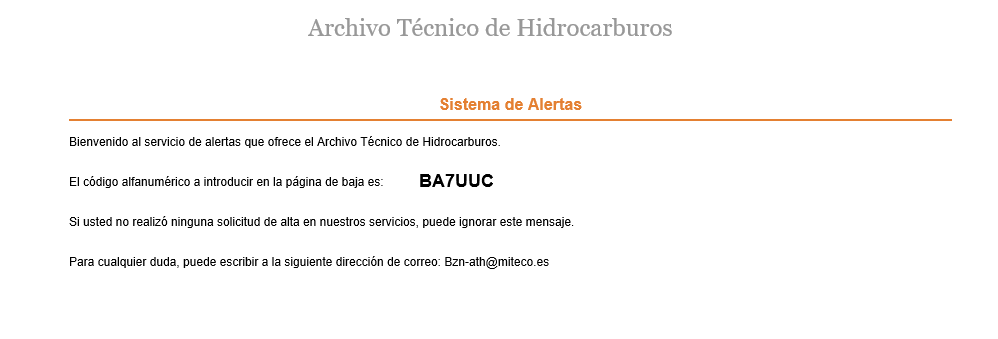
The security code is received via email at the email address to which the alert is linked.
The appearance of the received mail is like the following image:
If the code entered in the form matches the code of the email received, the alert will be eliminated, displaying the following message: